Internet Cafe Management
HandyCafe is a free Business software developed by Ates Software & Internet Technologies. The billing software is used for managing and integrating several computers on internet cafes.
Top Recommended Alternative

Used by Most Internet Cafes
HandyCafe has as been utilized for over 180 countries and more than 85,000 cyber cafes worldwide. Internet cafe managers need to facilitate their computers so that customers won’t abuse their computer usage, check computer usage time, limit the access on Control Panel and prevent downloading of suspicious files.
Managing Internet Cafe Computers
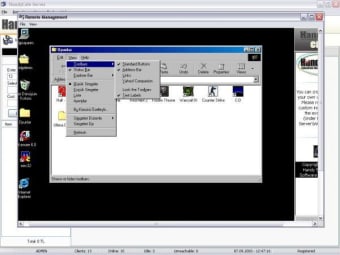
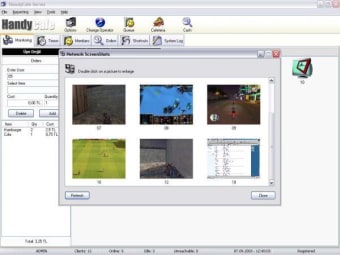
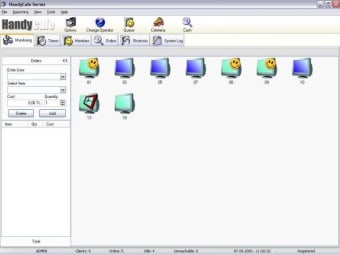
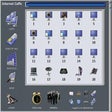
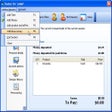
HandyCafe is designed with a easy to use interface and features that adapts to any scenarios. This will help not only the owners but also the internet cafe personnel to work professionally. The app provides a simple solution for monitoring and controlling local clients from a single server. Everything is conveniently facilitated from a single network system and a list of applications are inspectable so that users can close them from server when necessary. It consume less CPU and RAM so that operating an internet cafe is made more convenient. The software comes with HandyCafe Firewall v4 to block off dangerous intrusion from unknown sources. Users will never know when a malicious element will attack their local network. The software also includes a Filtering function to protect the local network. It’s up to the user when to enable or disable USB connection for clients from the server. The app alerts if a USB device is recently plugged in or out. The app also alerts if customers type in or enter websites with inappropriate words and users can either force close pages or automatically send warning message to customers The app allows users to create membership account for their patron customers. They can offer special prices and discounts, at the same time track them easily. If customers are overflowing, they can be reordered with User Queue. The app supports most languages and users can develop custom languages with the language tool. Users can take screenshots from their servers to a selected computer or simultaneously to every computer. As a software for internet cafes, users can set up time to compute how much would they charge to their customers. They can generate well-written transaction from the customer’s activities. They can even print or export the charges, reports, tickets or tracking done to their customers. The app handles transactions like logging in, logging out and paying out through its selections like Play & Pay, Time Limited logins, Prepaid and so much more. The app includes Multiple Pricing Schemes to show pricing rates by hour, day and time, the daily pricing and available discounts. When it comes to handling money, the app has a cashier feature for facilitating unlimited cashier accounts for Server. Users can control them, as well as enable or disable any account features. Users can also sell snacks to customers with the app’s Cafeteria feature. This app can remotely wake up, shut down, reboot or log-off computers from the server. Users can personalize their client’s colors, appearance and fonts. They can also advertise by inserting banners ad pages on the client screen-saver menu. If customers have inquiry to users, they can communicate via Messaging or redirect to a website. The app comes with client update and immediate retrieval of license information to their registered email.
Internet Cafes’ Choice
Even if home gaming is more popular today, some customers still tend to rent computers. HandyCafe can help internet cafe owners to manage their computers easily.
Tracking of prints from the server Performing printer processes Reporting of print results to the customer The open control is a built-in feature in this version as well It is possible to broadcast commercials as full screen on monitors of all client PCs This broadcasting module supports all kinds of media formats